This is what graded looks like.
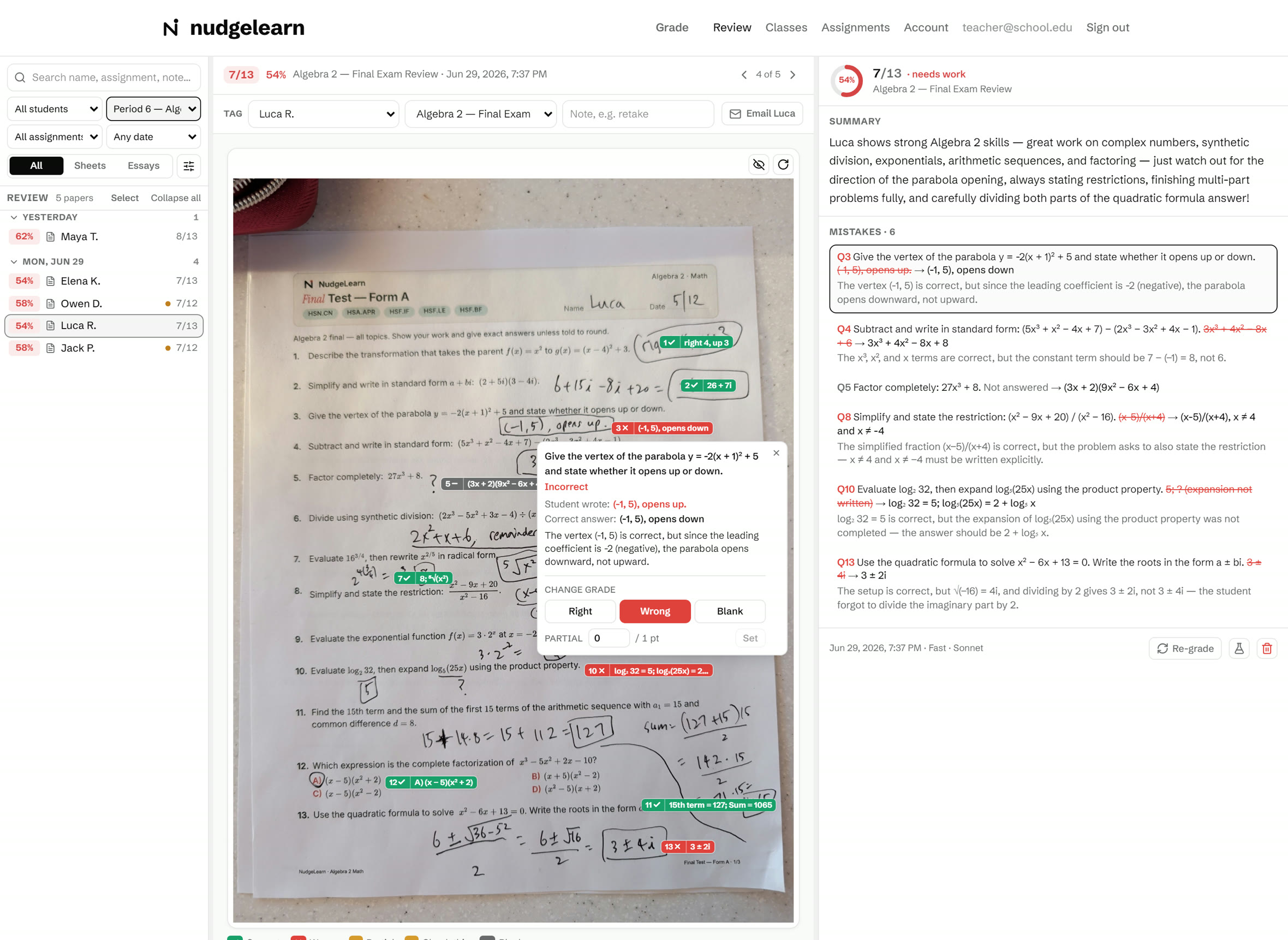
Hover a number. Real screenshot, demo classroom.
1
The whole class, one line each
Every paper in the class set sits on the left: student, score, a color chip, and a dot when a paper still has your attention pending.
2
Find any paper fast
Filter by class, student, assignment, or date, or just search a name. Here the list is showing one class.
3
Marks land on the student's page
This is a real phone photo of a handwritten Algebra 2 final. Green check, red X, and the answer pinned beside each question, right on the photo.
4
Tap a mark, see the why
What the student wrote, the correct answer, and why it's wrong, in plain words. Here: the vertex was right, the direction was not.
5
You keep the final say
Change any grade in one tap: right, wrong, blank, or partial credit in points. The AI assists, you decide.
6
Score, instantly
Points, percent, and an honest read on how the paper landed.
7
A real summary of the whole paper
Not a canned line: what the student does well, topic by topic, and exactly what to polish, written from the actual work on the page.
8
Every miss becomes a lesson
Each mistake listed with the correction and the reason it went wrong. Tap a mark on the paper and its entry lights up here.
9
Files itself
Tag the paper to a student and assignment on one line. It flows into the class gradebook and analytics from there.
10
Email it home in one click
The graded page, with the explanations, straight to the student or a parent.
11
Re-grade anytime
Grade the paper again whenever you need to. Version history keeps every pass, and Restore brings one back.